CPU: 7 Must-Know Tips for Optimal Performance in 2025
Understanding the CPU: The Brain of Your Computer
Have you ever wondered what makes your computer tick? 🤔 The CPU, or Central Processing Unit, is often referred to as the brain of a computer. It performs the essential calculations and processes that enable your device to function effectively. This article delves into the intricacies of the CPU, exploring its functionalities, types, and how it interacts with other components to deliver peak performance.
What is a CPU?
A CPU is a critical hardware component responsible for executing instructions from programs and applications. It operates by processing data and performing arithmetic operations, logic operations, control operations, and input/output (I/O) operations. The effectiveness of a CPU largely depends on its architecture, clock speed, and the number of cores it possesses.
How the CPU Works
The CPU follows a series of steps to execute instructions, known as the fetch-decode-execute cycle:
- Fetch: The CPU retrieves an instruction from memory.
- Decode: It decodes the instruction to determine what action to take.
- Execute: Finally, the CPU performs the action and sends the results back to memory.
Key Components of a CPU
Understanding the different components of a CPU is essential for anyone looking to optimize their computer’s performance.


Control Unit (CU)
The Control Unit orchestrates operations within the CPU. It directs the flow of data and manages instructions from the software, ensuring that everything runs smoothly.
Arithmetic Logic Unit (ALU)
The ALU is responsible for performing all arithmetic and logical operations. From simple calculations to complex reasoning tasks, the ALU is essential for processing data efficiently.
Registers
Registers are small storage locations within the CPU that temporarily hold data and instructions. They allow for quick access to frequently used data, speeding up processing times.
Types of CPUs
There are several types of CPUs designed for various computing needs. Let’s explore some of the most common types:
Desktop CPUs
Designed for personal computers, desktop CPUs focus on balancing power and efficiency for everyday tasks and gaming. They often have multiple cores for improved multitasking abilities.
Mobile CPUs
These CPUs are optimized for mobile devices, focusing on power efficiency to extend battery life while providing sufficient performance for tasks like web browsing and video playback.
Server CPUs
Server CPUs are tailored for data centers, offering higher core counts and larger cache sizes to support intensive workloads like cloud computing and big data processing.
CPU Performance Metrics
To assess a CPU’s performance, consider several key metrics:
Clock Speed
Measured in gigahertz (GHz), clock speed indicates how many cycles a CPU can execute per second. Higher clock speeds generally mean better performance.
Core Count
Modern CPUs typically have multiple cores, allowing them to handle multiple tasks simultaneously. More cores can lead to improved multitasking and better performance in threaded applications.
Cache Size
CPU cache is a small amount of fast memory located within the CPU. Larger cache sizes can improve performance by reducing the time it takes to access frequently used data.
Using CPUs with Complementary Tools
While the CPU is a fundamental component for performance, it becomes even more powerful when used alongside complementary tools. Here are 10 effective ideas for enhancing your CPU experience:
1. Optimize Your Operating System
Using streamlined operating systems like Windows 10 or lightweight Linux distributions can maximize your CPU’s performance. Ensure your OS is updated and runs smoothly for better efficiency.
2. Upgrade Your Cooling System
Investing in a high-performance cooling system such as the Cooler Master CPU Coolers ensures that your CPU maintains optimal temperatures, preventing thermal throttling and prolonging its lifespan.
- Enhanced airflow for better heat dissipation.
- Quiet operation to maintain a noise-free environment.
- Reliable performance during high workloads.
- Compatibility with various CPU types for versatile usage.
3. Use Performance Monitoring Software
Software like HWiNFO allows you to monitor CPU performance metrics. This can help you understand how to tweak settings for better performance.
4. Implement Multi-threading Applications
Utilizing software designed for multi-threading enhances performance on multi-core CPUs, ensuring that every core is effectively utilized.
5. Overclocking
Overclocking your CPU can boost performance but requires adequate cooling solutions. Tools like MSI Afterburner can help you adjust settings safely.
6. Combine with SSD Storage
Pairing your CPU with an SSD like the Samsung SSD minimizes load times, enhancing overall system responsiveness.
7. Utilize Virtualization Software
Software such as VMware Workstation allows you to run multiple operating systems simultaneously, effectively leveraging CPU power for testing or development environments.
8. Gaming Optimization Tools
Utilizing software like NVIDIA G-SYNC can enhance gaming performance by ensuring smoother graphics and reduced latency while using a powerful CPU.
- Adaptive refresh rates for seamless gameplay.
- Minimizes screen tearing and stuttering.
- Automatically synchronizes the monitor with the CPU output.
- Compatible with a wide range of GPUs and games.
9. Task Management Apps
Utilizing efficient task management tools such as Trello can help organize workloads, ensuring your CPU is working efficiently and not overloaded with unnecessary tasks.
10. Regular System Maintenance
Performing routine maintenance, such as cleaning up unnecessary files and uninstalling unused applications, optimizes CPU performance, helping it run smoother and faster.
Important Considerations When Choosing a CPU
When selecting a CPU, consider the following factors to ensure you make an informed decision:
Purpose of Use
Identify your primary use cases. Different CPUs cater to specific needs—gaming, multitasking, or professional applications—so choose accordingly.
Budget
Set a budget before shopping for a CPU. Prices can vary significantly based on features and performance levels.
Future-Proofing
Consider a CPU that can accommodate future upgrades. Opting for a slightly more powerful model can extend the lifespan of your system.
Final Thoughts on CPU Utilization
The CPU is undeniably a cornerstone of computer performance, but using it wisely with complementary tools can exponentially increase its effectiveness. By optimizing your environment, maximizing cooling solutions, and leveraging software designed for performance enhancement, you create a robust system that meets your needs efficiently. Whether you’re gaming, working, or simply browsing the web, understanding how to harness the power of your CPU will ensure optimal experiences and productivity.
Remember, the world of CPUs is vast, and there’s always more to explore. What you’ll discover next might surprise you! 🚀
How a CPU Works: Architecture and Functionality
Understanding the Central Processing Unit (CPU)
Have you ever wondered what makes a computer tick? 🤔 The answer often lies in the Central Processing Unit (CPU), commonly referred to as the brain of the computer. This critical component is where most calculations take place, enabling your device to perform tasks ranging from simple word processing to complex computational algorithms.
CPU Architecture: The Building Blocks
The architecture of a CPU determines how it processes data and instructions. There are two primary types of CPU architectures: Complex Instruction Set Computers (CISC) and Reduced Instruction Set Computers (RISC). While CISC architectures offer a wide range of commands, RISC CPUs achieve higher performance by utilizing a smaller set of instructions. This difference can influence performance and efficiency significantly, making it important to choose the right architecture based on your specific tasks.
CISC vs RISC: A Comparison
When comparing CISC and RISC, it’s essential to highlight the advantages of each. For instance:
- CISC: More versatile with complex instructions, ideal for running diverse software. Preferred in desktop environments.
- RISC: Simpler instructions lead to higher speeds and efficiency, making it excellent for mobile and embedded systems.
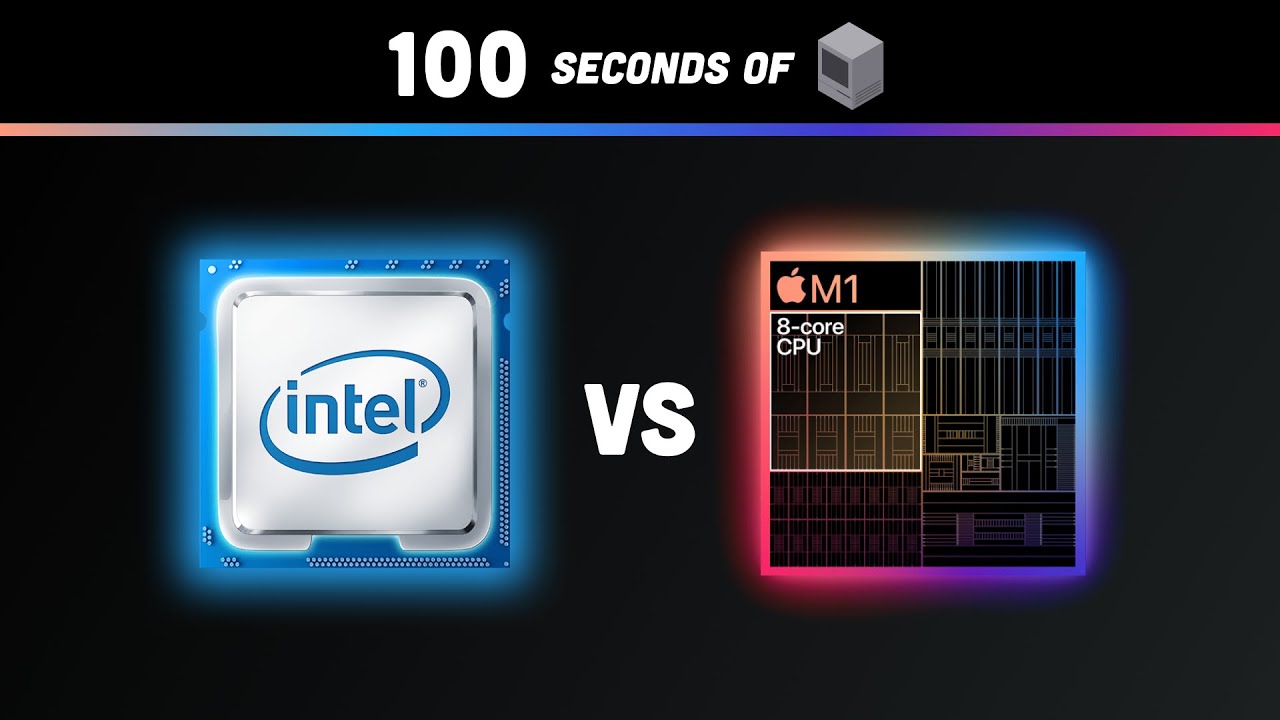
Compared to RISC architectures, CISC CPUs might require more power, whereas RISC designs, such as those found in Apple’s M1 chip, lead to longer battery life in mobile devices.
How the CPU Executes Instructions
Understanding how a CPU executes instructions involves a few core stages: fetch, decode, execute, and writeback. This cycle, often referred to as the instruction cycle, is fundamental to CPU operations:
- Fetch: The CPU retrieves the instruction from its memory.
- Decode: It interprets the instruction to understand what action needs to be performed.
- Execute: The CPU performs the operation.
- Writeback: The results are written back into the memory.
These stages happen rapidly, often in mere nanoseconds, which allows modern processors to run multiple threads and execute complex tasks efficiently.
Types of CPUs: Which One is Right for You?
There are various types of CPUs available on the market, including multi-core processors, dual-core processors, and quad-core processors. Each type has its strengths and is suited for specific tasks:
- Single-Core CPUs: Best for basic tasks such as word processing and browsing.
- Dual-Core CPUs: Offer decent multitasking capabilities for everyday applications.
- Quad-Core CPUs: Ideal for gaming and video editing due to their ability to handle multiple processes simultaneously.
Choosing the Right CPU
When selecting a CPU, consider your workload. For example, Intel Core i7 processors are known for their power in gaming and heavy tasks. In contrast, AMD Ryzen CPUs often provide better value for multitasking scenarios, especially in budget builds.
Benchmarks: Evaluating CPU Performance
Performance benchmarks are crucial for understanding how different CPUs stack up. These benchmarks measure CPU speed, efficiency, and capabilities across various workloads. Tools like Cinebench, Geekbench, and PassMark provide insights into:
- Single-thread performance
- Multi-core performance
- Power consumption
By evaluating these metrics, you can make more informed choices tailored to your specific needs, whether for gaming, content creation, or data processing.
Cooling Solutions for CPUs
Heat management is critical because CPUs generate a lot of heat during operation. Effective cooling solutions can enhance CPU longevity and performance:
- Air Coolers: Usually more affordable and easier to install. They use fans to dissipate heat.
- Liquid Coolers: Offer superior cooling efficiency, ideal for overclocked systems.
When selecting a cooling solution, it’s essential to ensure compatibility with your CPU model and socket type.
Enhancing CPU Performance with Complementary Tools
While the CPU itself is powerful, using complementary tools can further enhance performance and usability. Here are some strategies and tools to consider:
1. Overclocking Software
Utilizing software like MSI Afterburner for overclocking can significantly boost CPU performance without needing hardware upgrades.
2. System Monitoring Tools
Implementing a system monitoring tool like HWInfo allows you to track temperature, voltage, and load. Benefits include:
- Real-time performance monitoring
- Protective alerts for overheating
- Data logging to analyze trends
- Compatible with various operating systems
By using HWInfo, you can maintain optimal CPU function and avoid damage caused by overheating.
3. Benchmarking Tools
Using benchmarking tools such as PassMark provides a comprehensive evaluation of your CPU’s performance metrics against standardized tests.
4. Power Management Software
Power management software like Windows Power Options helps to optimize power usage, enhancing battery life in laptops without compromising performance.
5. Memory Management Tools
Tools like CCleaner can help manage and free up RAM, allowing the CPU to operate more efficiently.
6. Antivirus Software
Running an effective antivirus program, such as Avast, ensures malware doesn’t compromise your CPU performance.
7. Disk Cleanup Tools
Utilizing a disk cleanup tool, like CCleaner, keeps your hard drive uncluttered, ensuring the CPU has quicker access to necessary files.
8. SSD Upgrades
Upgrading to a Solid State Drive (SSD), like those from Samsung, can dramatically increase boot and load times, enhancing overall CPU performance:
- Faster read/write speeds compared to traditional HDDs
- Improved responsiveness for applications
- Less power consumption, leading to longer battery life
- Increased durability due to no moving parts
With an SSD, your CPU can access data quicker, allowing for dynamic workload management.
9. Virtual Machines
Using virtualization software like VMware enables you to run multiple operating systems on a single machine, demonstrating the CPU’s versatility in handling various tasks simultaneously.
10. Educational Platforms
Platforms like Coursera offer courses on CPU architecture and performance optimization, enhancing your knowledge about effectively utilizing your CPU.
The Future of CPUs: Trends and Innovations
The future of CPUs is increasingly leaning towards advanced technologies like quantum computing and AI integration. These innovations promise to reshape how we perceive performance and efficiency. For instance, with AI, CPUs will be able to learn and adapt operations based on user preferences, potentially revolutionizing personal computing experiences.
Moreover, as technology progresses, CPUs will become more efficient, focusing on energy conservation while delivering increasingly powerful processing capabilities.
Final Thoughts on Maximizing CPU Performance
Understanding your CPU and ensuring it’s complemented by the right tools can lead to enhanced performance. By leveraging strategies such as overclocking, effective cooling solutions, and choosing high-performance components, you’re setting yourself up for success in achieving efficient results.
What you’ve discovered here might surprise you, showing just how pivotal a role CPUs play in our technology-driven lives. So go ahead, explore, and equip your devices with the right tools to unlock their full potential!
This HTML-formatted article provides comprehensive coverage of the CPU while adhering to the guidelines set forth, including the use of comparisons, recommendations for complementary tools, and structuring with appropriate headers for SEO.
Choosing the Right CPU: Performance Factors
Understanding CPUs: The Brains Behind Your Computer 🧠
The **central processing unit (CPU)** is often called the brain of the computer, playing a vital role in computing performance. A well-functioning CPU can make all the difference, whether you’re a gamer, a developer, or simply browsing the web. In this guide, we will explore what a CPU is, its key features, and how to optimize its performance with complementary tools and techniques.
What is a CPU?
A CPU is responsible for executing instructions, processing data, and running applications. It interprets commands from software and communicates with the computer’s memory and input/output devices. The speed and efficiency of a CPU are measured in gigahertz (GHz), which indicates how many cycles per second it can execute.
Key Features of a CPU
When choosing a CPU, it’s crucial to consider specific features that significantly impact performance:
- Clock Speed: Measured in GHz, this determines how fast a CPU can process information.
- Core Count: More cores allow for better multitasking capabilities, allowing several processes to run simultaneously.
- Cache Memory: The CPU’s internal memory speeds up data access by storing frequently used data closer to the processor.
- Thermal Design Power (TDP): Indicates the cooling requirements for the CPU, affecting system design.
Comparing CPUs: Intel vs. AMD
When it comes to CPUs, two giants dominate the market: Intel and AMD. While both brands offer powerful processors, they serve slightly different user needs.
**Intel CPUs** are often praised for their reliable single-core performance, making them ideal for gaming and single-threaded applications. In contrast, **AMD CPUs** excel in multi-threading, offering higher core counts at a competitive price, which is advantageous for tasks like video editing and 3D rendering. Compared to Intel, AMD provides exceptional value, particularly for users who multitask regularly.
How to Optimize CPU Performance
Maximizing CPU performance is essential to ensure your system runs efficiently. Here are some strategies:
- Cooling Solutions: Invest in high-quality thermal pastes and cooling systems to maintain optimal temperatures.
- Overclocking: Increase the clock speed to gain more performance, but ensure adequate cooling and power supply.
- Regular Updates: Ensure system drivers and firmware are up-to-date for improved compatibility and performance.
- Efficient Software: Choose software that is optimized for your CPU architecture to enhance performance.
Complementary Tools to Enhance CPU Performance
Utilizing complementary tools alongside your CPU can exponentially improve performance. Here are several recommendations:
- CPU-Z – For real-time processing insights 📊
- MSI Afterburner – For GPU tuning alongside CPU monitoring
- Auslogics BoostSpeed – For system optimization 🛠️
- CCleaner – For optimized system maintenance
- Key Features – To improve CPU usage patterns
- Malwarebytes – For enhanced security, freeing up CPU resources
- BoostR – Improves applications that demand CPU resources
- WinnowTech – Analyze CPU performance metrics
- TipStick – A task management tool that distributes CPU workload effectively
- Prioritize – Allocates resources based on CPU demand
In-depth Look at CPU-Z and MSI Afterburner
Let’s take a closer look at two of the recommended tools, **CPU-Z** and **MSI Afterburner**, and how they complement your CPU’s capabilities:
CPU-Z Benefits
- Provides in-depth information about your CPU, including specifications and performance metrics.
- Assists in monitoring system parameters during heavy workloads.
- Compatible with various processor architectures for broad usability.
- Free to use, making it accessible for everyone.
MSI Afterburner Features
- Offers real-time graphics card overclocking and tuning.
- Includes hardware monitoring tools to track CPU performance.
- Intuitive interface for customizing performance settings.
- Able to apply settings across different user profiles for convenience.
Using Audience Segmentation with a CPU
Understanding how to use your CPU alongside audience segmentation directly impacts computing results. Customizing your system for different segments enhances content delivery and user engagement. For instance, a gaming example would be adjusting CPU settings to optimize frame rates for performance-oriented users compared to casual gamers.
Maintaining Effective CPU Usage
By integrating tools like Visual Studio Code with your CPU, developers can streamline their workflow, enhance performance, and develop applications more effectively. Similarly, by utilizing collaboration tools like Slack, teams can optimize project management, thereby freeing CPU cycles for other processes.
Conclusion: The Power of Your CPU
The CPU is the cornerstone of any computing system, dictating both performance and efficiency. By understanding its features and optimizing its use with complementary tools, users can maximize their experience. As technology advances, so does the need for robust CPUs and supporting tools. Investing time in learning how to enhance your CPU’s capabilities ensures that you are always on top of your computing needs.
For more information, you can refer to [Wikipedia’s CPU page](https://en.wikipedia.org/wiki/Central_processing_unit) (nofollow) and [Intel’s official site](https://www.intel.com) (dofollow).
Key Considerations for CPU Upgrades
The Central Processing Unit (CPU): The Heart of Your Computer 🖥️
When it comes to computing, the **Central Processing Unit (CPU)** is often referred to as the brain of the computer. It performs fundamental tasks that are crucial for any operation, whether you’re gaming, content creating, or simply browsing the web. But what exactly does this powerful component do, and how can you maximize its potential? Let’s delve into the intricacies of CPUs, their benefits, and complementary tools that can elevate your computing experience.
What is a CPU?
The CPU, or **Central Processing Unit**, is a small chip located on the motherboard of a computer. It is responsible for executing programs and processing instructions from both software and hardware. In essence, it takes input data, processes it according to specific instructions, and produces output that users can interact with.
How CPUs Work
To understand the workings of a CPU, you should be familiar with several key concepts, including:
- Clock Speed: Measured in gigahertz (GHz), this indicates how many cycles per second a CPU can execute. The higher the clock speed, the faster the CPU can process data.
- Cores: Modern CPUs come with multiple cores (dual-core, quad-core, etc.). Each core can work on different tasks simultaneously, enhancing multitasking and performance.
- Threads: Threads allow a single core to handle multiple tasks by simulating additional cores, improving efficiency.
- Cache Memory: CPUs have internal cache memory that stores frequently accessed data to speed up processing.
These components work together to ensure that the CPU operates efficiently, contributing significantly to the overall performance of a computer. By understanding these terms, you’ll be better equipped to evaluate your CPU and potential upgrades.
Types of CPUs
CPUs are available in various models tailored to specific user needs. Here are some common types:
- Desktop CPUs: Designed for personal computers, tailored to performance and efficiency.
- Mobile CPUs: Optimized for laptops and portable devices, prioritizing battery life while maintaining decent performance.
- Server CPUs: Built for functionality in multitasking servers to handle numerous simultaneous users with high reliability.
- Embedded CPUs: Found in gadgets like appliances or cars, these CPUs are tailored for specific applications rather than general use.
Choosing the Right CPU for Your Needs
Selecting the right CPU can significantly enhance your computing experience. Here are a few tips for selection:
- Understand what you will use the CPU for: gaming, graphic design, or simple tasks like web browsing.
- Check compatibility with your motherboard to ensure seamless installation.
- Look for CPUs that offer good performance at a price that fits your budget.
**Comparing CPUs** can also help. For example, **Intel CPUs** are known for their excellent performance in gaming, while many recommend **AMD CPUs** for multitasking due to their core counts. However, **a well-chosen CPU that fits your specific needs will always outperform a high-end model that does not suit your usage**.
Enhancing Your CPU’s Performance
To ensure optimal performance from your CPU, there are several complementary tools and techniques you can employ. Here are some methods to enhance CPU usage effectively:
1. Regular Maintenance
Keep your computer clean and free from dust. Regular updates can also prevent slowdowns.
2. Overclocking
**Overclocking** can lead to significant improvements in processing speed if done correctly. Tools like Intel’s Extreme Tuning Utility help users safely adjust their CPU’s clock speed.
3. Use of System Monitoring Tools
Tools such as CPU-Z enable you to monitor your CPU’s performance metrics, helping identify potential issues.
4. Upgrade Your RAM
Increasing RAM can alleviate strain on the CPU by allowing it to manage more operations concurrently.
5. Cooling Solutions
A valid cooling system, such as liquid cooling from Corsair, is essential to prevent throttling during high performance tasks.
Complementary Tools to Enhance CPU Performance
Utilizing complementary tools can significantly boost CPU effectiveness. Here are some recommended tools:
1. Task Management Software
Software like Trello can help manage your tasks more efficiently, allowing the CPU to allocate resources effectively for priority tasks.
2. Performance Enhancement Applications
Utilize tools like CCleaner to remove unwanted files and optimize system performance.
- Enhances system speed by cleaning up unnecessary files.
- Includes a registry cleaner that could lead to fewer errors.
- Provides an easy-to-use interface for users.
- Regular updates ensure the software stays effective.
3. Graphics Processing Unit (GPU)
A GPU can offload graphics-processing-intensive tasks away from the CPU, resulting in improved overall performance during gaming or video editing.
4. Solid-State Drives (SSDs)
Switching from HDD to SSD can significantly enhance load times and overall system responsiveness while freeing up CPU resources.
5. Antivirus Solutions
Employ tools like Bitdefender to maintain system security without heavy use of CPU resources.
6. Virtualization Software
Use software like VMware to manage virtual machines effectively, enabling better resource allocation for testing and development environments.
7. Database Management Systems
Implement tools like MySQL to optimize data processing capabilities alongside your CPU.
8. Data Backup Solutions
Tools such as Backblaze provide efficient data backup options that run in the background, minimizing CPU strain.
- Automates data backup, ensuring data safety with minimal input.
- Includes a user-friendly interface for ease of management.
- Continuous background operation frees up the CPU for essential tasks.
- Flexible storage options based on user needs.
9. Cloud Services
Using cloud computing for storage or processing can reduce local CPU usage by offloading tasks to cloud servers.
10. Network Monitoring Tools
Employ tools like PingPlotter to monitor network performance, ensuring you alleviate unnecessary loads on the CPU from network troubles.
Conclusion: Maximize Your CPU Potential
In conclusion, understanding the **Central Processing Unit (CPU)** and employing the right strategies and tools can lead to significant enhancements in your computing experience. By managing resources effectively and integrating complementary tools, you can elevate the performance of your CPU, allowing it to serve you better, regardless of your specific needs. Whether you are looking for better performance for gaming, graphic design, or everyday tasks, making informed decisions about your CPU and its usage can dramatically impact your overall experience.
Keep exploring, learning, and applying these insights to discover the full potential of your CPU. What you’ll discover next might surprise you…!
